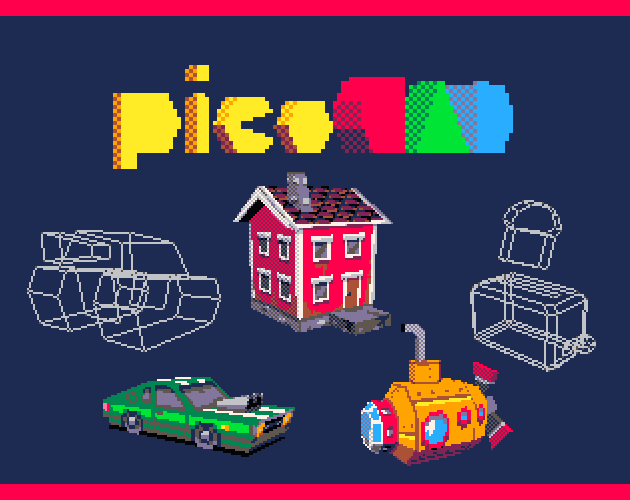
PicoCAD AI Assistant: Free AI for Low-Poly Retro 3D Design
PicoCAD AI Assistant is a lightweight, free design tool that uses AI to generate low-poly 3D models and textures styled after the PICO-8 aesthetic. It is built for artists and developers who enjoy retro visuals, simple geometry, and small, expressive models.
Instead of building everything manually, you enter a description of the object you want, and the tool produces a PicoCAD-compatible model and texture. This makes it ideal for quick asset creation, prototyping, game jams, or experimenting with 3D concepts without needing advanced software.
What PicoCAD AI Assistant Can Do
The tool focuses on creating compact, charming 3D assets. Despite the deliberately simple style, it is surprisingly flexible in what it can produce.
- Generate low-poly models from text – Describe an item and receive a full PicoCAD model file.
- Create stylised pixel textures – Automatically produces 2D textures that match the PICO-8 aesthetic.
- Export to PicoCAD – Instantly open and edit results in the PicoCAD editor.
- Ideal for game development – Produce props, characters, vehicles, or environment pieces.
- Rapid prototyping – Great for fast iterations during game jams or concept phases.
- Runs in the browser – No installation required.
Why Designers Use PicoCAD AI Assistant
The biggest appeal of the PicoCAD AI Assistant is speed. It turns rough ideas into usable assets with almost no friction. Designers who enjoy retro or low-poly styles often use it to kickstart their workflow or build visual concepts without diving into complex modeling software.
Because it outputs directly into PicoCAD’s native format, you can easily adjust or refine the model afterwards. This mix of automation and manual control gives creators the best of both worlds.
Common Use Cases
- Retro-style indie games – Perfect for PICO-8, fantasy consoles, or low-poly 3D projects.
- Quick prototypes – Useful for blocking out scenes, props, or characters.
- Game jams – Rapid turnaround for asset creation under time limits.
- Concept art – Generate stylised 3D references for illustrations.
- Education – Students can learn the basics of 3D design using simple geometry.
How PicoCAD AI Assistant Fits Into a Workflow
The typical workflow involves describing the object you want, downloading the generated PicoCAD model, and then refining it using the official editor. You can adjust colors, tweak geometry, or expand the model manually once the base shape is created.
Many creators also export the generated textures for further editing in pixel-art tools like Aseprite or GraphicsGale.
Strengths and Limitations
Strengths
- Completely free and available in the browser.
- Fast low-poly model generation from simple text prompts.
- Perfect for retro and stylised aesthetics.
- Outputs directly into PicoCAD format for easy editing.
- Great for small, expressive, stylised designs.
Limitations
- Built specifically for PicoCAD — not intended for realistic or high-detail 3D.
- Motion and complex characters may require manual editing.
- Advanced 3D tools offer more precision for larger projects.
Who PicoCAD AI Assistant Is Best For
PicoCAD AI Assistant is ideal for indie developers, hobbyists, retro enthusiasts, and game designers who enjoy compact, stylised 3D art. If you want a fast and accessible way to create charming low-poly models, it is one of the best free options available today.